#3 Product of the Day on Product Hunt · Aug 2026
From ticket to production, a hundred workflows at a time.

Revolte.ai is not a coding assistant. It automates software delivery: it reads how your existing system already works, builds workflows that fit it, and runs up to 100 of them in parallel, from ticket to production. Teams ship sooner and better, and people approve every step that matters. I led its product design end to end and wrote its requirements as business analyst, from first concept to public launch.

Ticket automationLegacy workflow discoveryWorkflow studio100 parallel runsPrompt interactionHuman approvalsDeploy and observe
RoleSenior Product Designer · Business Analyst
CompanyRootQuotient Technologies
ScopeStrategy, research, requirements, UX/UI, system
TeamProduct, engineering, QA
OutcomeConcept → public launch
Revolte agent workspace building a feature
0→1

Took the product from an evolving technical vision to a public launch.

490+

Screens and states designed, across 22 end-to-end flows.

4

Product pillars unified in one workspace: Pre-build, Build, Observe, Govern.

#3

Product of the Day on Product Hunt at launch.

01 — Context

AI could write code. Shipping it was another story.

Code assistants were everywhere, but delivery still meant repositories, context, reviews, approvals, deployments and cost, all spread across different tools. Revolte set out to bring the whole lifecycle into one place.

01

Pre-build

Context, requirements and repository analysis before an agent touches code.

02

Build

Agent workflows that plan, write, test and verify changes.

03

Observe

Progress, logs, code changes and deployment health in real time.

04

Govern

Approvals, credits, budgets and team access for organisations.

02 — The problem

Three audiences, one trust gap.

Early versions worked technically, but the people we needed to win could not see, steer or justify what the agents were doing.

Developers

Agents felt like black boxes.

No way to see what an agent was doing, why a run failed, or what it was about to change in the codebase.

Engineering leads

No control points.

No approval gates, no cost visibility, and no clear line between experimenting and shipping to production.

The business

Setup killed activation.

Users had to configure a project and an application before they could even see what a workflow would do.

How might we

make a powerful multi-agent system feel simple to start, transparent while it runs, and safe to trust with real code?

03 — My role

Designer and analyst, in one seat.

I sat between product, engineering and QA. Writing the requirements and designing the interface myself meant every screen was shaped by real constraints.

Product design
  • 01Product and information architecture
  • 02User journeys, interaction design, prototyping
  • 03Workflow studio, agent workspace, dashboards
  • 04Brand direction, design system and typeface
  • 05Usability testing, handoff and mentoring designers
Business analyst · Product owner
  • 01Stakeholder discovery and requirements elicitation
  • 02User stories, business rules, exception flows
  • 03As-Is / To-Be mapping and MVP scoping
  • 04QA acceptance scenarios and edge cases
  • 05Reporting and credit-metric requirements
04 — Discovery

Understanding a category that didn't exist yet.

Before drawing a single screen, I mapped the market, the people and the capabilities, then decided what the first version must prove.

Market research · Competitor benchmark

Most tools stopped at code.

I benchmarked AI coding assistants, autonomous agents and workflow builders against the full delivery lifecycle. The gap after code generation became our positioning.

CapabilityCode genContextReviewApprovalsDeployCost
AI code assistants
Autonomous agents
Workflow builders
Revolte
Stakeholder mapping

Same system, four lenses.

Each role needed a different depth of detail from the same run.

A workflow run DeveloperTech lead Org adminEnterprise buyer QAFinance
Feature analysis · MVP scoping

Value against effort.

I scored every capability on user value, setup effort and execution dependencies, separating what a run must have from what is optional.

Must havePlan next Guided first runApproval gatesRun visibility Multi-agent studioDORA insights TemplatesCustom models Low effort →Value
Developer interaction patterns

Design for how engineers already work.

I studied terminals, pull request reviews, diffs and logs so Revolte would feel familiar on day one, not like another dashboard to learn. These patterns became the vocabulary of the product.

diff view+142 −18branch → mainstep logsdraft PRretry ×3sandboxCLIcommit messagestatus pillsDORAYAML config
05 — Framing

Three principles that settled every debate.

i.

Value before setup

Let people see and run something before asking them to configure anything.

ii.

Visible by default

Every agent action is observable: the stage, status, logs and every file it changed.

iii.

Humans hold the keys

AI proposes, people approve. Nothing reaches the codebase without review.

06 — Key decision

Moving setup from the front door to run time.

The As-Is / To-Be mapping was the turning point. I traced every configuration dependency and showed where each one could safely be resolved later.

As-Is

Configure, then discover

01Sign up
02Create projectBLOCKER
03Connect repo and create applicationBLOCKER
04Configure workflow inputsBLOCKER
05Finally see what a workflow does
To-Be

Discover, then configure

01Prompt from the website, carried into sign up
02Agent asks 3 questions and drafts a planVALUE
03Build runs in a sandbox, no repo neededVALUE
04Connect GitHub only to push or deploy
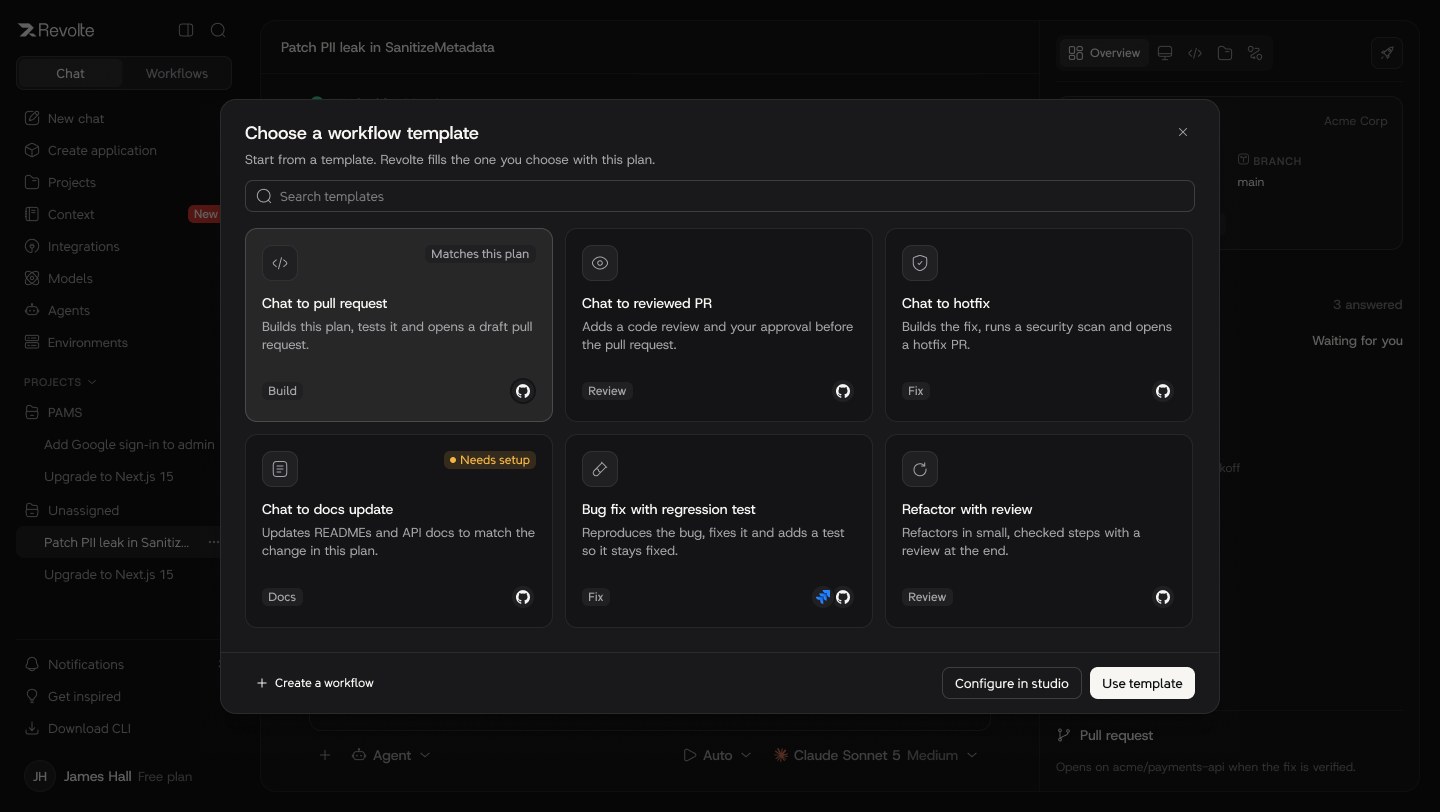
05Save the run as a reusable workflow
07 — The product

A guided tour, in eight moments.

From the first prompt to a governed, observable delivery pipeline. Each moment shows the screen and the components that carry the decision.

01 · START ANYWHERE

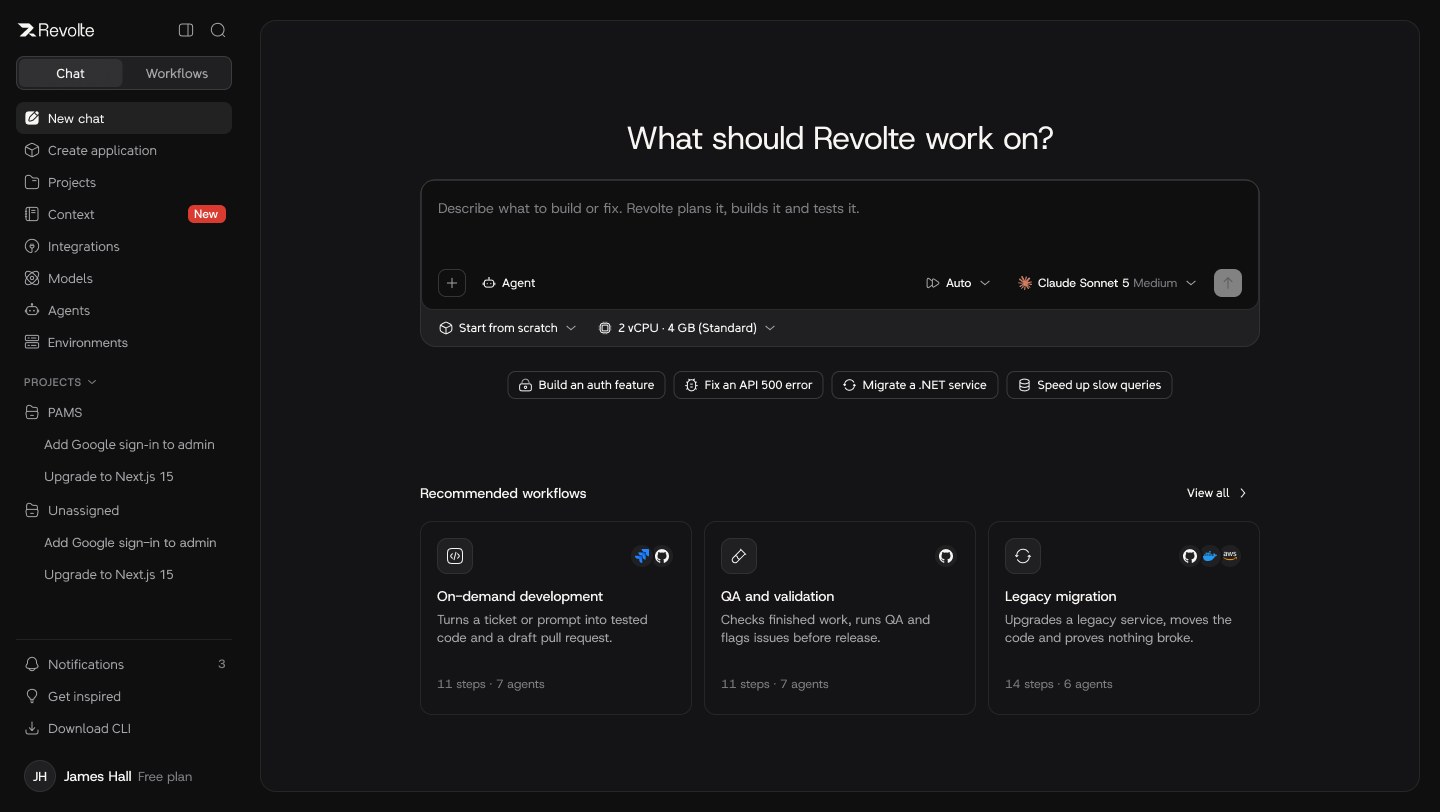
One prompt box, three ways in.

People arrive with an idea, a proven template or an existing repository. Every path converges on the same guided first run.

  • Prompt, template or GitHub entry
  • Model, effort and sandbox chosen inline
  • Recommended workflows as next step
New chat
Composer · prompt, agent, model, sandbox
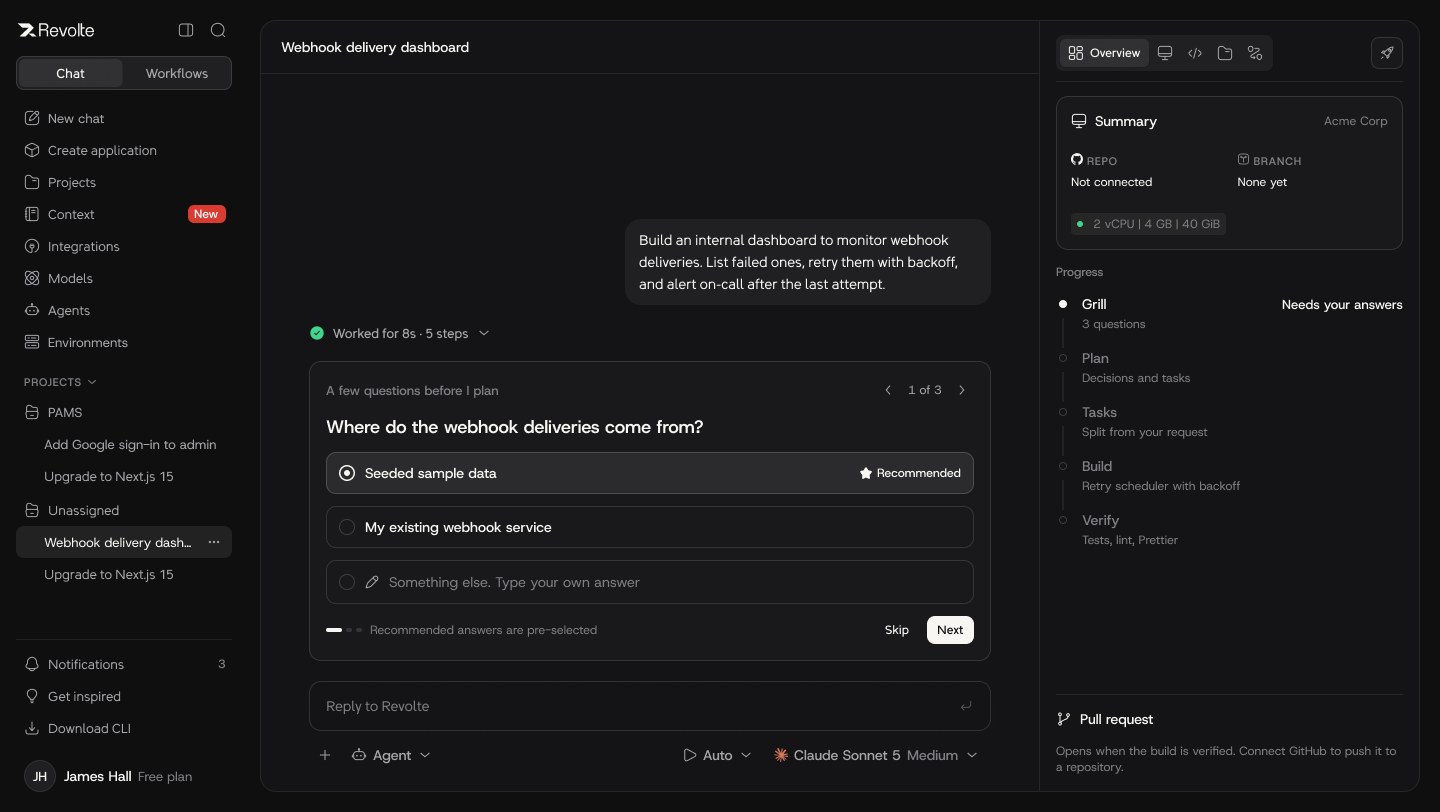
02 · UNDERSTAND BEFORE BUILDING

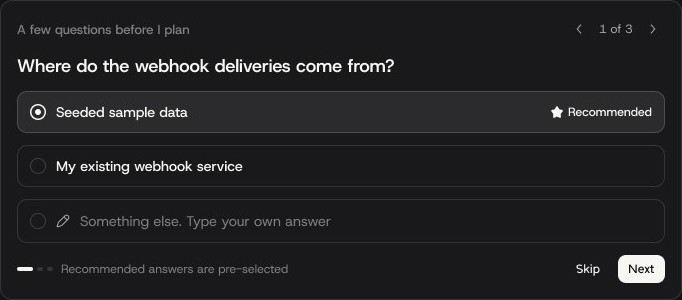
The agent asks before it acts.

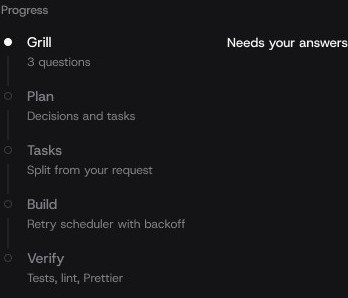
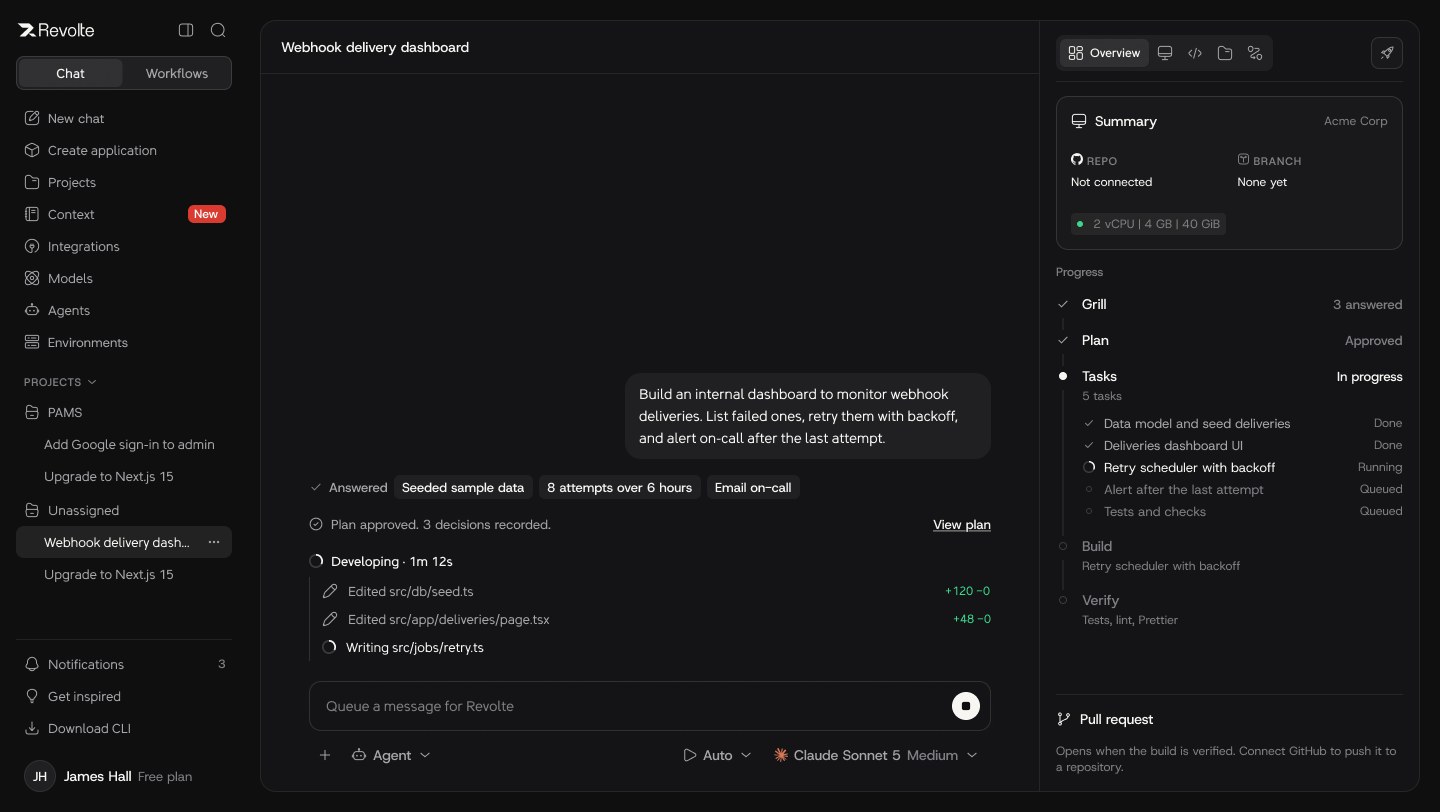
Three focused questions with recommended answers turn a vague prompt into a clear brief. A progress rail shows exactly where the work stands.

  • Recommended answers pre-selected
  • Skip or write your own
  • Grill → Plan → Tasks → Build → Verify
Clarifying questions
Progress rail
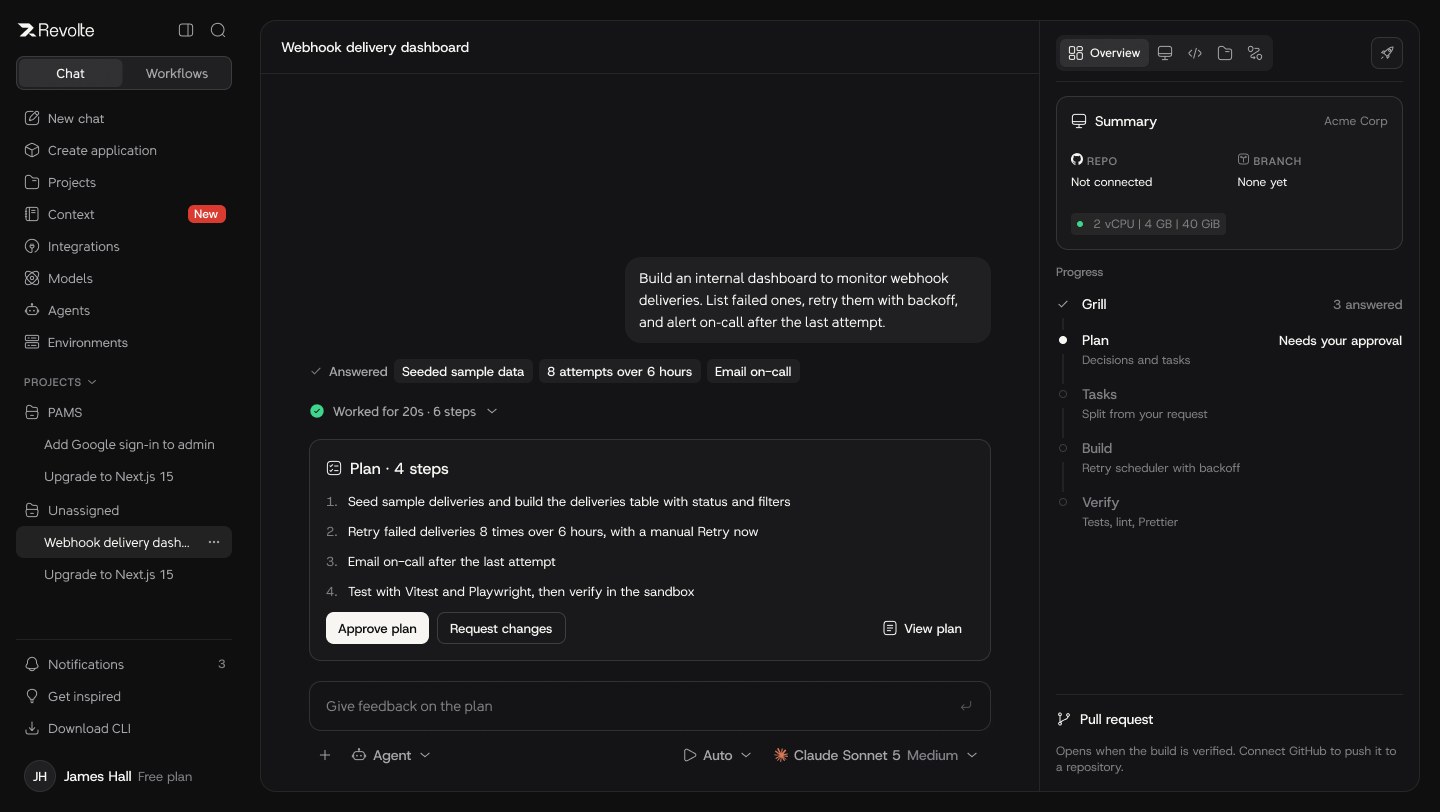
03 · APPROVE THE PLAN

Humans sign off, then agents build.

A short, readable plan with approve or request changes. Once approved, tasks run live with every file edit visible as it happens.

  • Plan as a decision, not a wall of text
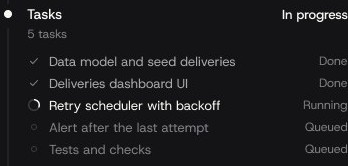
  • Live task list with status
  • Edits streamed with line counts
Plan ready
Live task list
04 · REVIEW EVERY CHANGE

Code review that feels native.

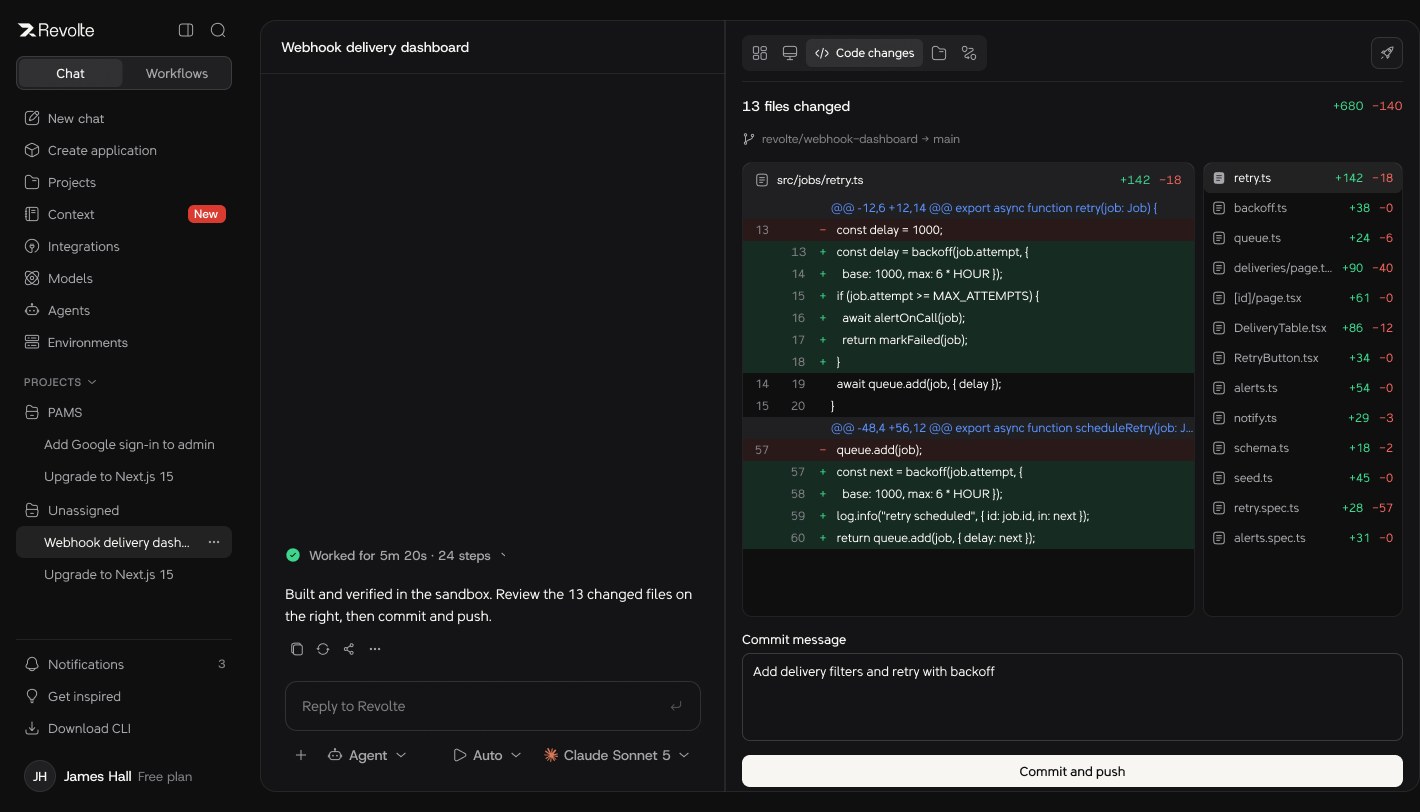
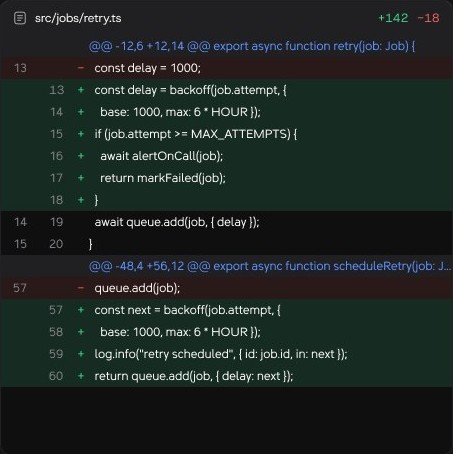
A resizable split shows the diff beside the file tree, with a commit message before anything is pushed. Engineers review AI work the same way they review a teammate's.

  • Diff with per-file line counts
  • Commit message required
  • Push only after GitHub is connected
Code changes
Diff viewer
05 · WORKFLOW STUDIO

Powerful, without looking complicated.

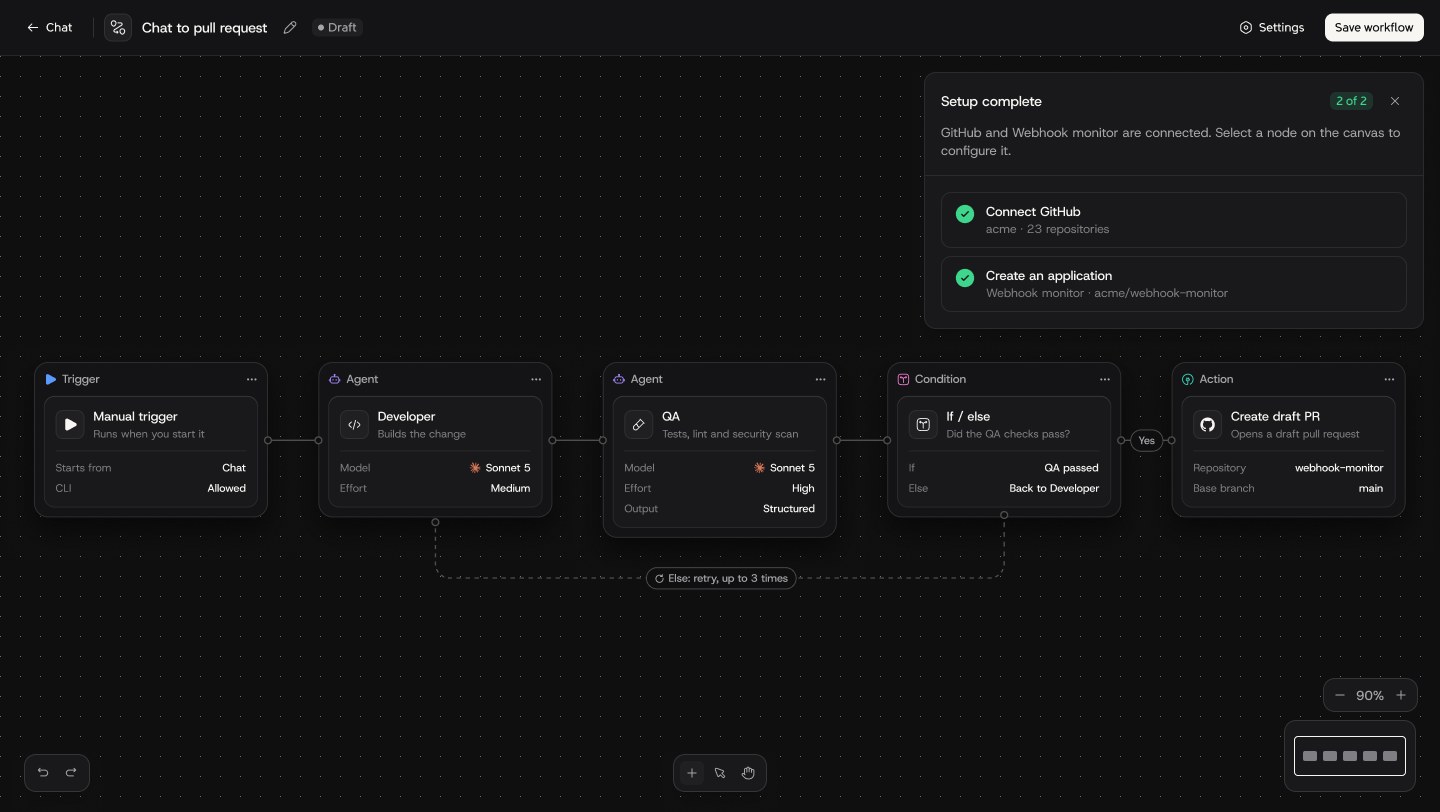
Triggers, agents, conditions and actions on a calm canvas. Configuration lives inside each node, and loops are drawn as plain language: "Else: retry, up to 3 times".

  • Typed nodes with model and effort
  • Conditional routing and retries
  • Setup checklist unlocks the canvas
Workflow studio
Trigger → Agent → Agent → Condition → Action
06 · HUMAN-IN-THE-LOOP

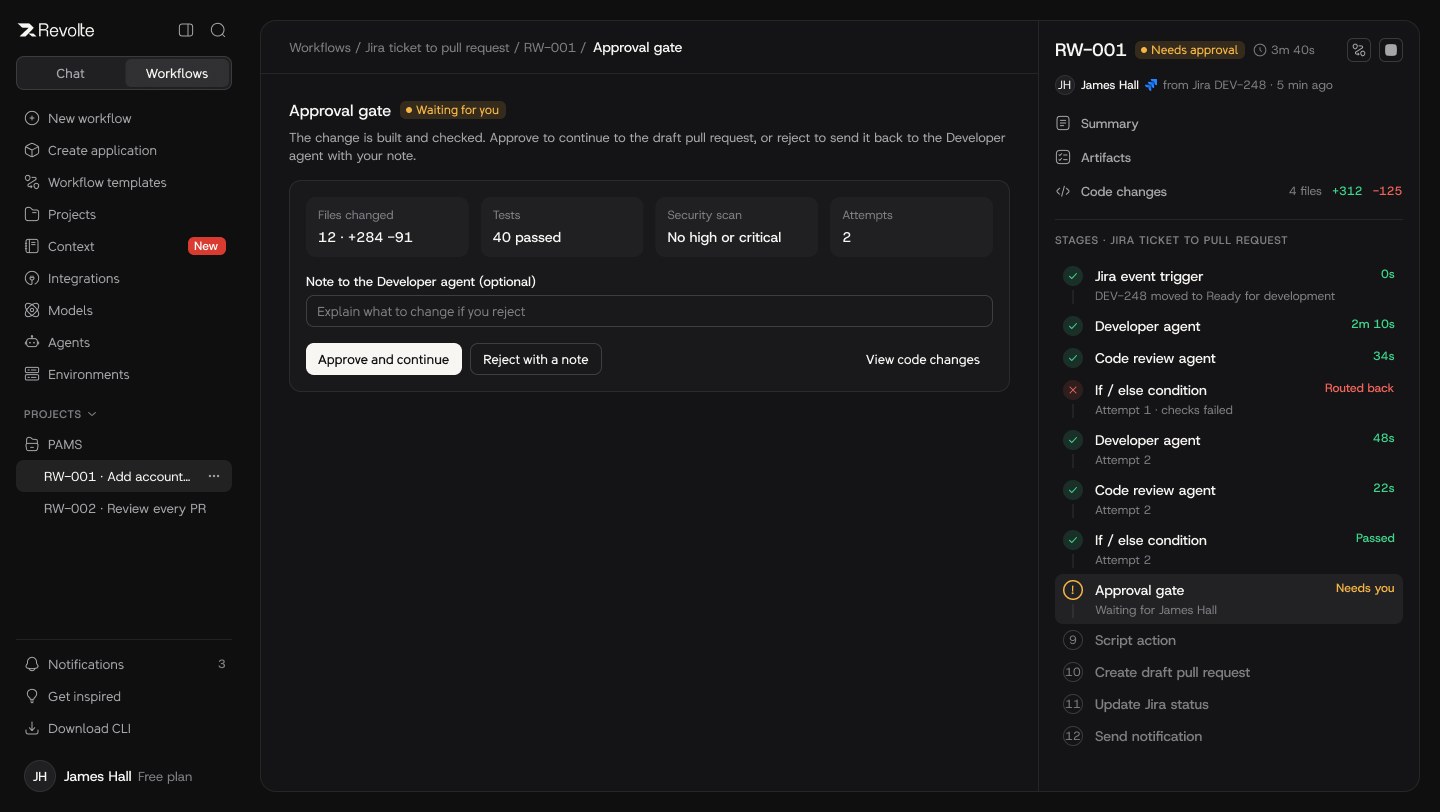
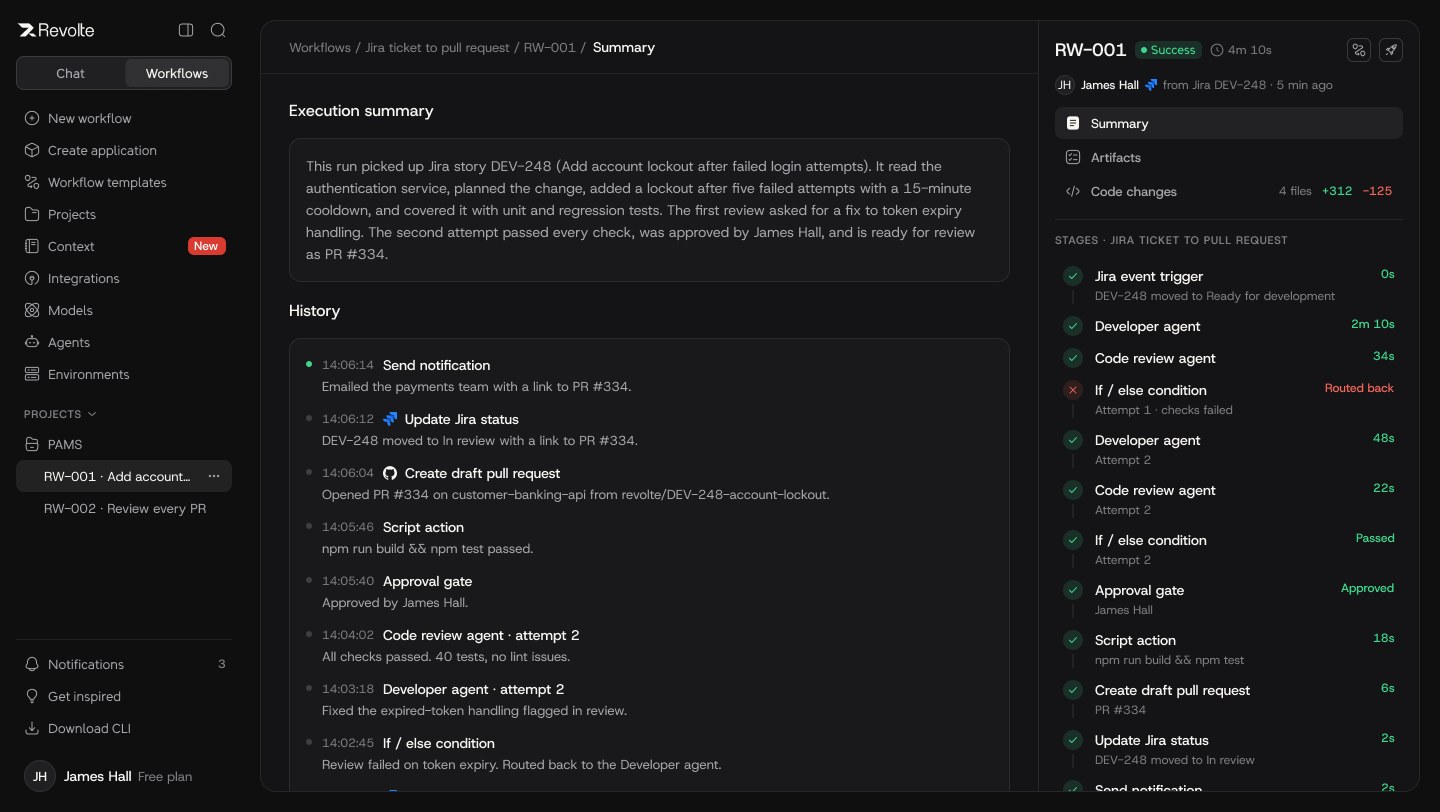
The approval gate.

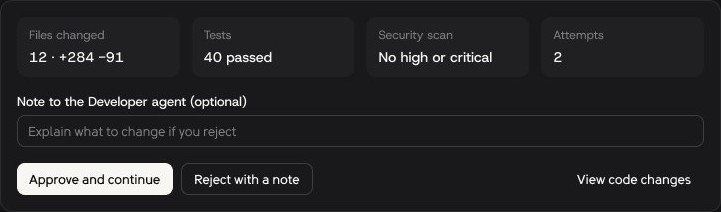
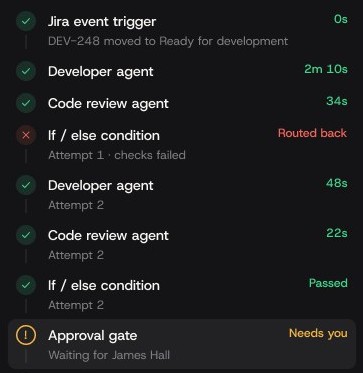
I defined how approve and reject route a run. The gate shows exactly what was checked, and a rejection goes back to the Developer agent with your note.

  • Files, tests, security, attempts at a glance
  • Reject with a note re-routes the run
  • Every stage timed and traceable
Approval gate
Approve or reject with a note
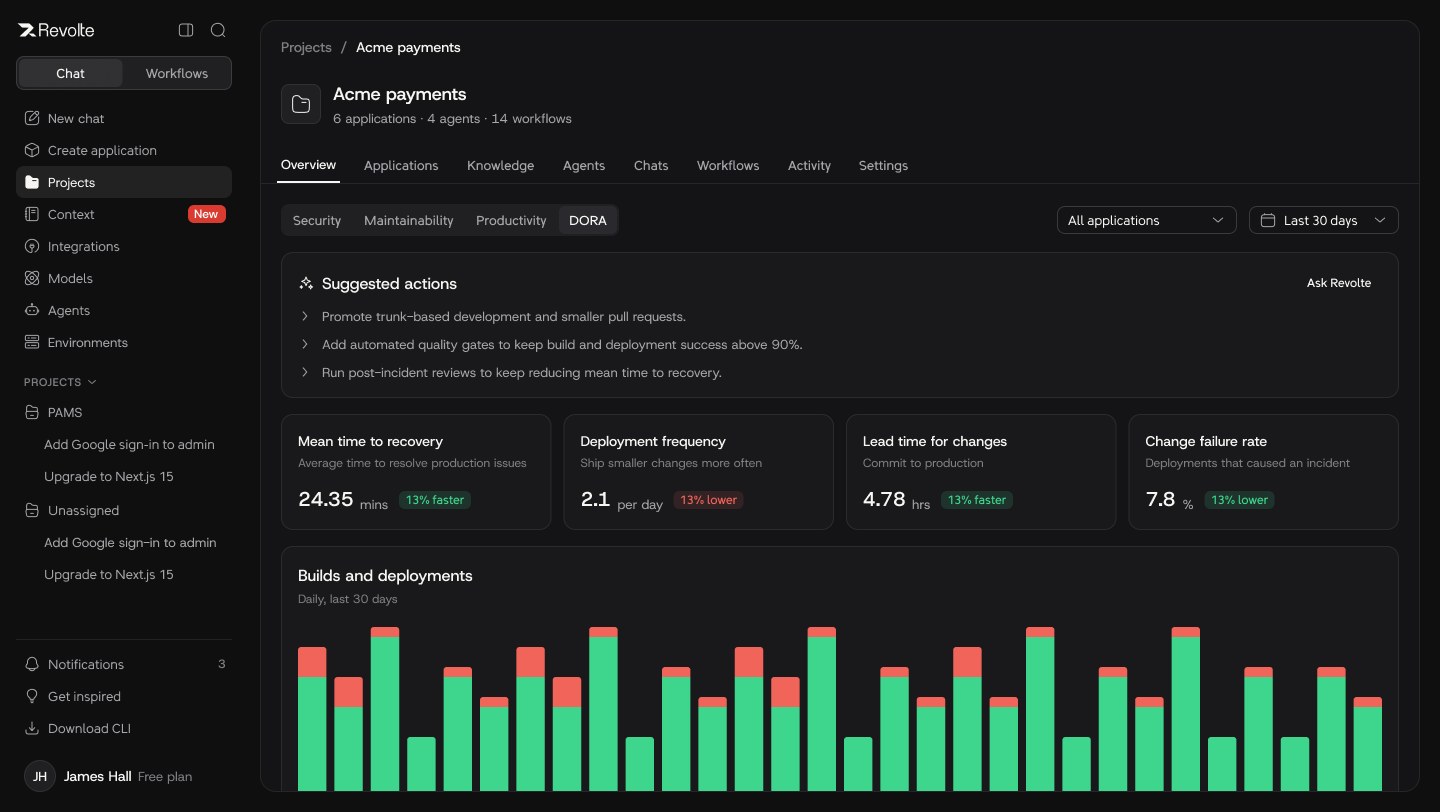
07 · DEPLOY AND OBSERVE

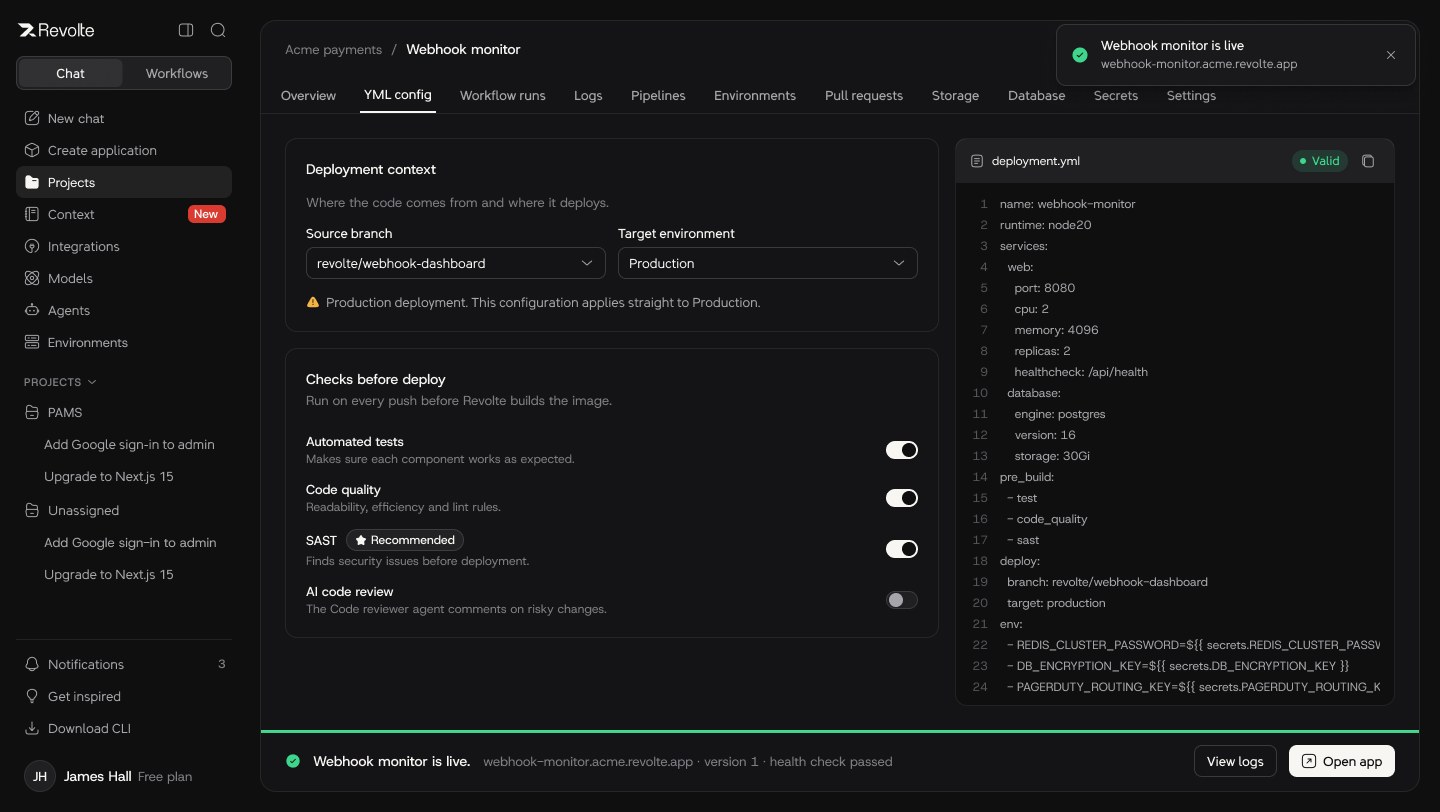
From verified build to live app.

Checks before deploy, a validated config and a clear live state. Project dashboards turn delivery into DORA metrics leaders already trust.

  • Tests, code quality and SAST before deploy
  • Live confirmation with health check
  • DORA: recovery, frequency, lead time, failure rate
Live deployment
DORA metrics
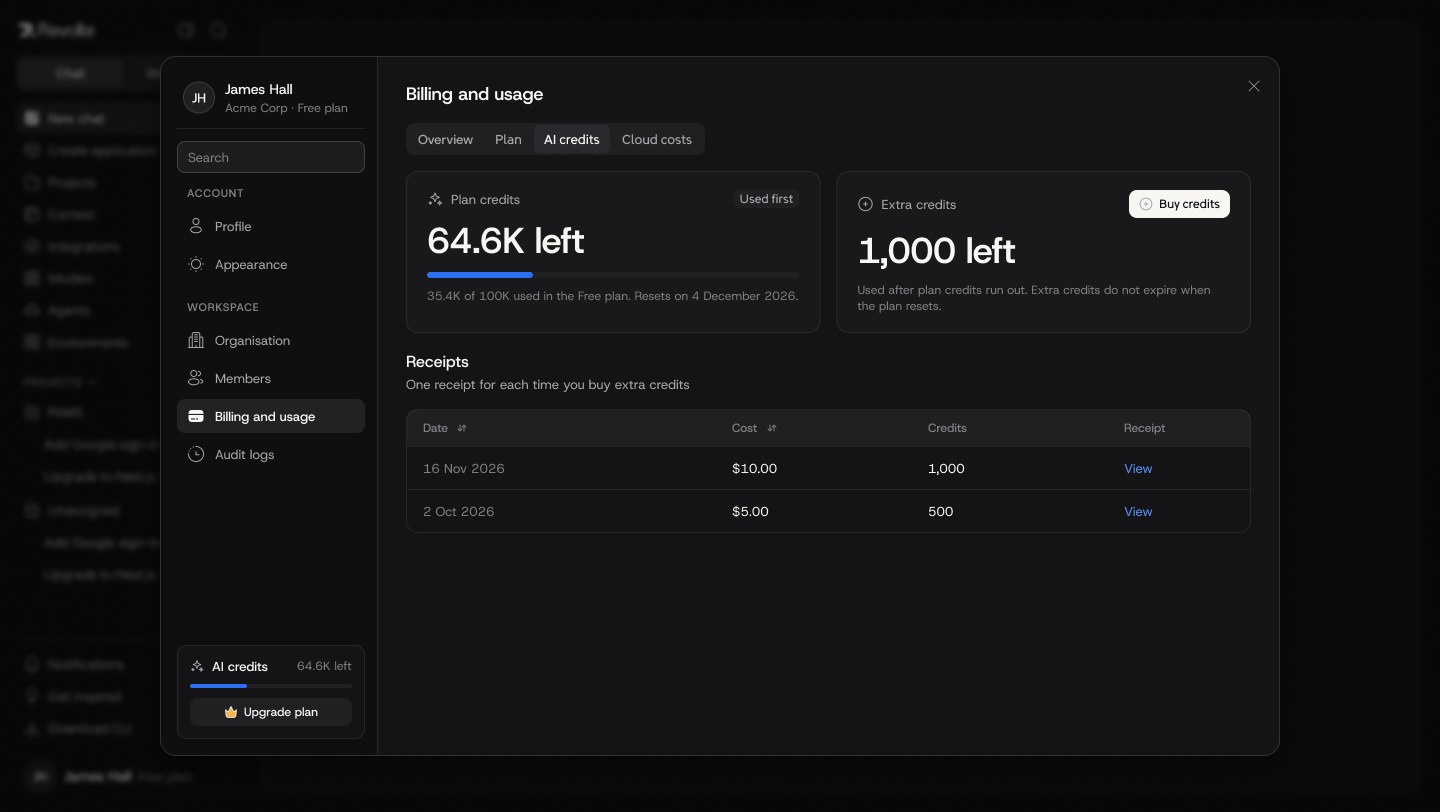
08 · GOVERN SPEND

Cost people can understand.

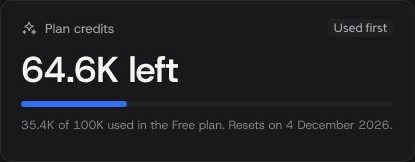
I mapped credits across organisation, project and application levels, and how low balances affect whether a run can start. Billing shows plan and extra credits in plain terms.

  • Plan credits used first
  • Extra credits never expire
  • Out-of-credit states inside chat and runs
AI credits
Credit meter
08 — Designing for failure

The hardest screens were the unhappy ones.

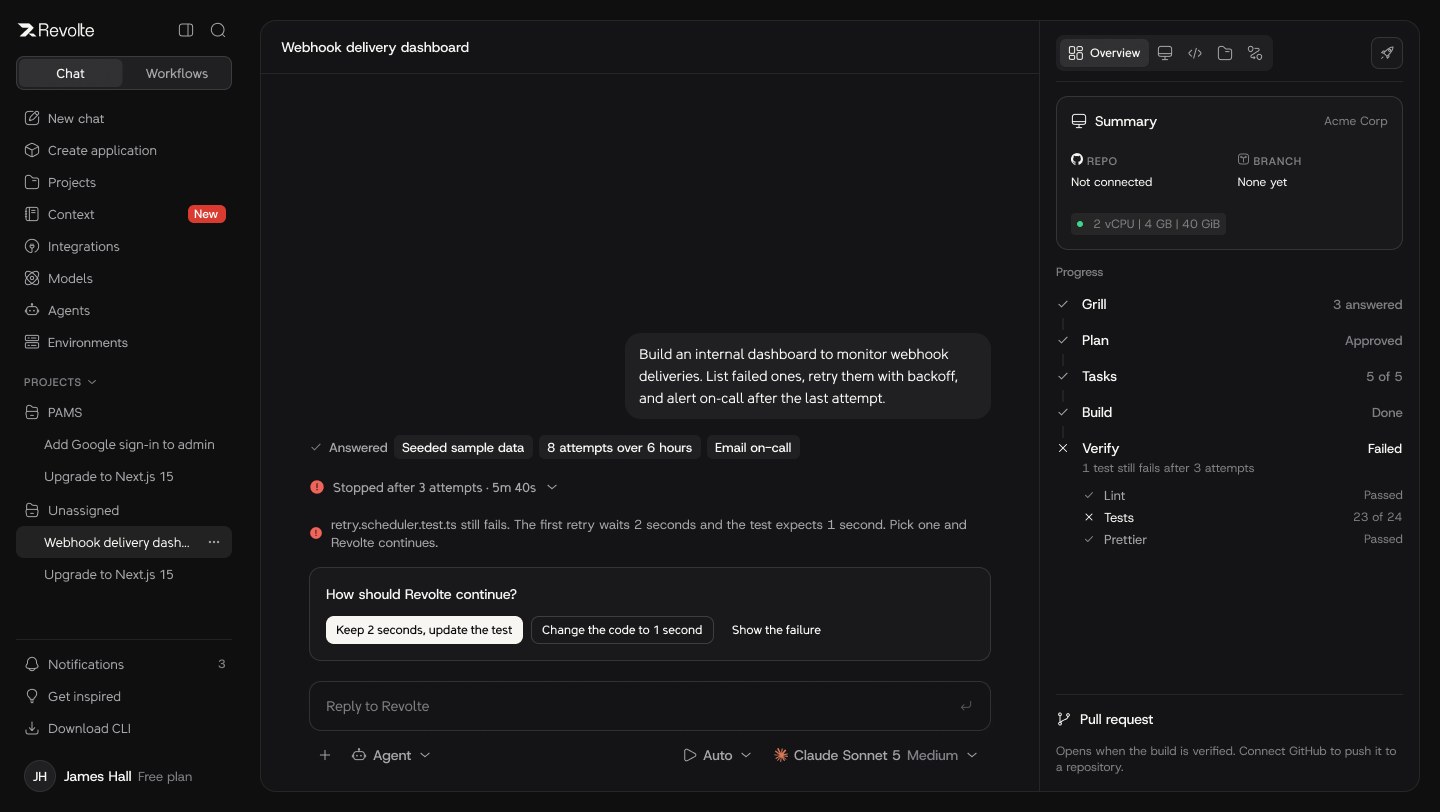
With QA, I turned business rules into acceptance scenarios for every failure: missing setup, rejected approvals, failed runs, lost connections and empty credits.

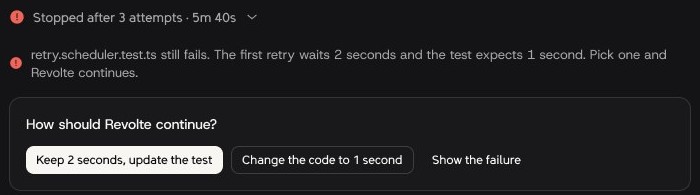
Still failing after 3 attemptsAgent stops and asks how to continue
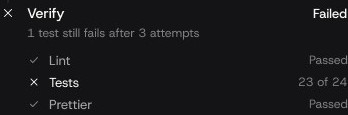
Verify: 23 of 24 testsExactly which check failed, and why
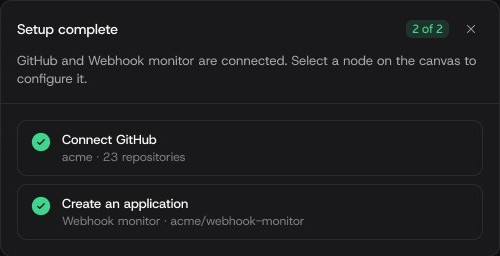
Setup complete, nodes unlockedChecklist instead of blocking errors
01Website to sign up02Sign up with email03Verify email04Sign in 05Forgot password06Workspace setup07New chat08Understand, plan, build 09Sandbox and code changes10Deploy11Workflow studio12Versions and publishing 13Plan to workflow run14Run details15Templates16Projects 17Applications and pipelines18Environments19Context and agents20Settings and billing 21Global search22Integrations and MCP490+ screens and states
09 — Foundations

A system that kept 490+ screens coherent.

A product this broad only holds together with strong foundations. I set the brand direction, components, copy rules and motion, and mentored designers to keep them consistent.

Typography · Revolte Sans
Aa Rr

A custom typeface for brand and product, tuned to read cleanly in dense, code-heavy interfaces.

Colour
#0D0D0E
#1A1A1C
#FF4A24
#3FD68A
#F3F1ED

Dark-first product, warm light marketing. Colour is reserved for status and the one action that matters.

Status language
SuccessNeeds approvalRouted backQueuedRunning★ RecommendedMatches this plan

One shared vocabulary across chat, runs, deploys and billing.

UX microcopy guidelines
BeforeError 500: Execution failed
Afterretry.scheduler.test.ts still fails. The first retry waits 2 seconds and the test expects 1 second. Pick one and Revolte continues.
BeforeInsufficient balance
AfterUsed after plan credits run out. Extra credits do not expire when the plan resets.
10 — Delivery

From flow to shipped.

I wrote the user stories, process flows and handoff specs, defined reporting requirements for runs, and worked with QA on expected behaviour for every edge case. AI tools such as Claude, ChatGPT and Figma AI helped me organise requirements and prototype scope questions faster.

Organisation balanceLEVEL 01
Project allocationLEVEL 02
Application budgetLEVEL 03
Run summary
11 — Outcome

Launched, and noticed.

Concept → launchTook Revolte from an evolving vision to a public product.
#3Product of the Day on Product Hunt, August 2026.
490+Screens and states across 22 complete flows.
3 → 1Onboarding paths converging on one guided first run.
Run timeSetup moved from before value to when it is actually needed.
1 systemShared components, typeface and copy rules across product and brand.
12 — Reflection

In AI products, trust is the feature. People adopt an agent only when they can see what it is doing, and stop it when they need to.

Next, I would instrument activation from day one, test the studio with larger teams, and extend governance for enterprise roles.